How to Book a Room at Shree Gajanan Maharaj Sansthan
Booking your stay with us is a simple five-step process — no long forms, no waiting days for a reply. Here's exactly what happens from the moment you choose your dates to the moment your PDF confirmation lands on WhatsApp.
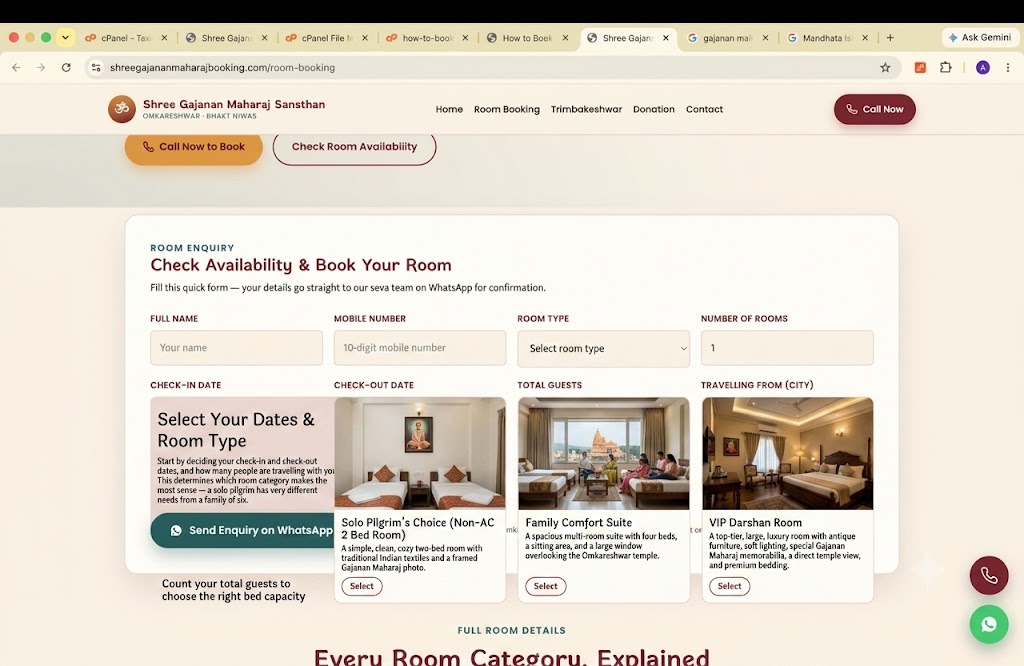
Select Your Dates & Room Type
Start by deciding your check-in and check-out dates, and how many people are travelling with you. This determines which room category makes the most sense — a solo pilgrim has very different needs from a family of six.
We offer seven room categories in total, from the compact Non-AC 2 Bed Room to the spacious Family Room, so there's an option for almost every budget and group size. Room tariffs are ₹1,250 to ₹5,050 per night, including breakfast, lunch and dinner.
- Check the full room list and prices before deciding
- Count your total guests to choose the right bed capacity
- Keep your dates flexible if travelling during Shravan or major festivals
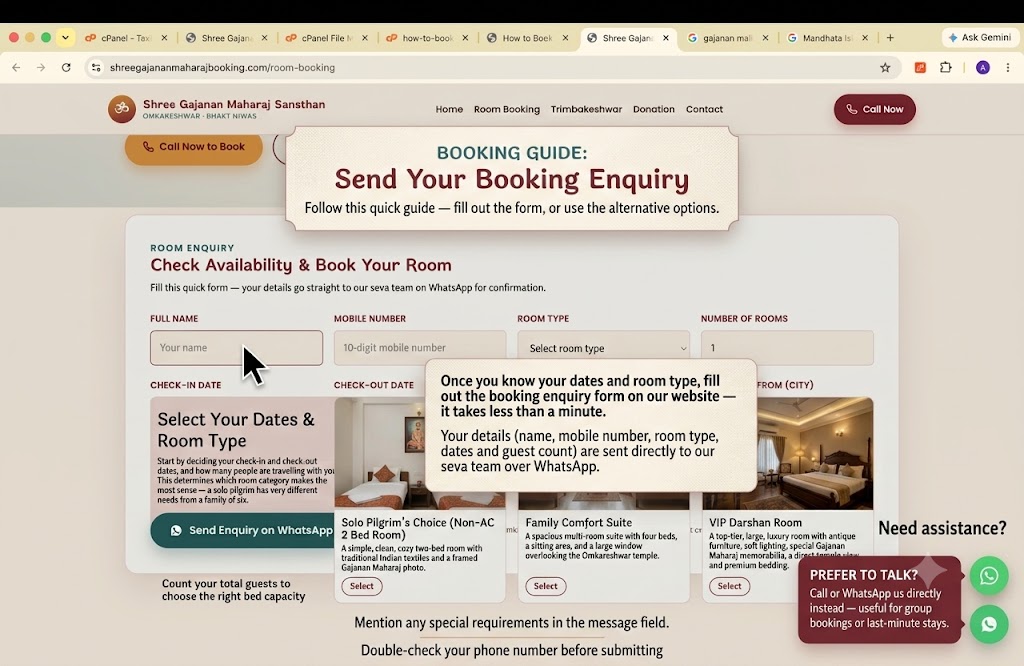
Send Your Booking Enquiry
Once you know your dates and room type, fill out the booking enquiry form on our website — it takes less than a minute. Your details (name, mobile number, room type, dates and guest count) are sent directly to our seva team over WhatsApp.
Prefer to talk to someone? You can call or WhatsApp us directly instead — especially useful for group bookings or last-minute stays.
- Double-check your phone number before submitting
- Mention any special requirements in the message field
- For urgent same-day bookings, calling is faster than the form
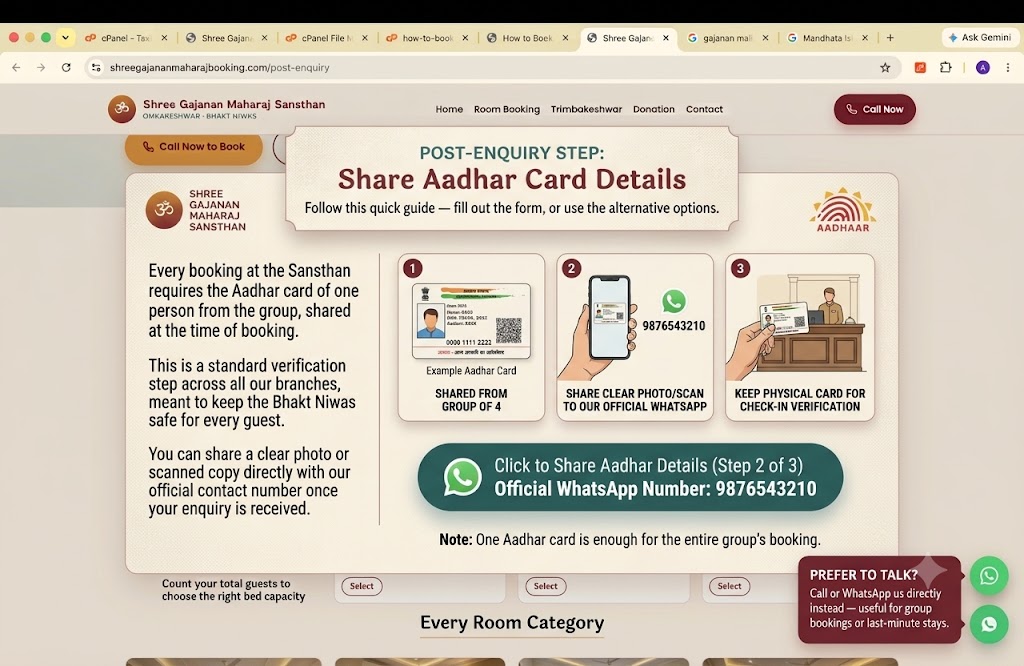
Share Aadhar Card Details
Every booking at the Sansthan requires the Aadhar card of one person from the group, shared at the time of booking. This is a standard verification step across all our branches, meant to keep the Bhakt Niwas safe for every guest.
You can share a clear photo or scanned copy directly with our official contact number once your enquiry is received.
- One Aadhar card is enough for the entire group's booking
- Share it only through our official call/WhatsApp number
- Keep the physical card with you for verification at check-in
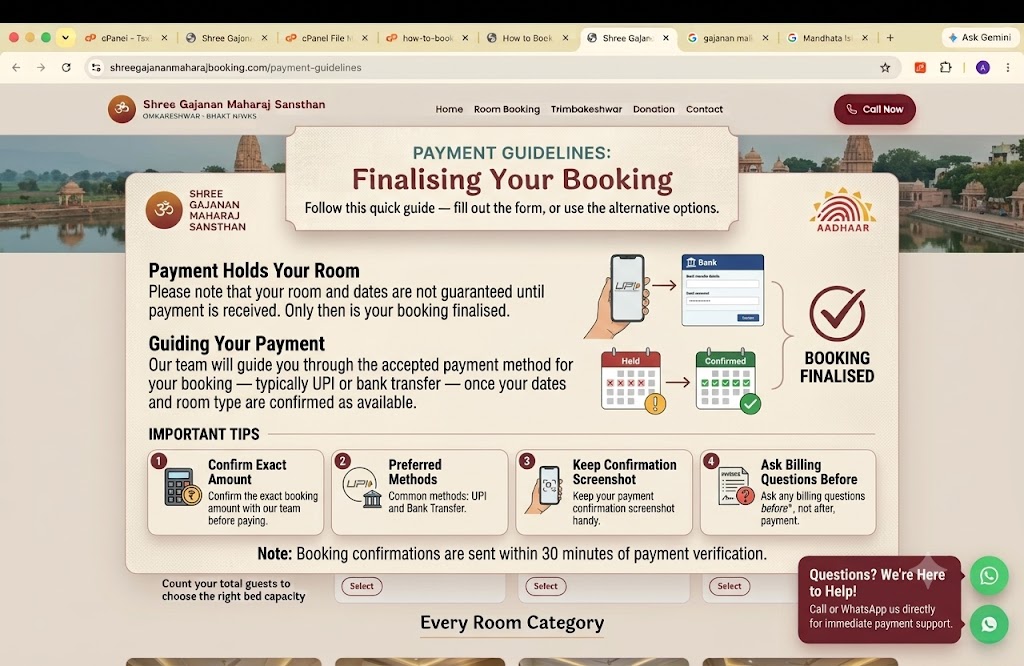
Complete Payment
Your room is held once payment is received. Our team will guide you through the accepted payment method for your booking — typically UPI or bank transfer — once your dates and room type are confirmed as available.
Payment is what finalises your booking — until this step is complete, your selected room and dates are not guaranteed.
- Confirm the exact amount with our team before paying
- Keep your payment confirmation screenshot handy
- Ask any billing questions before, not after, payment
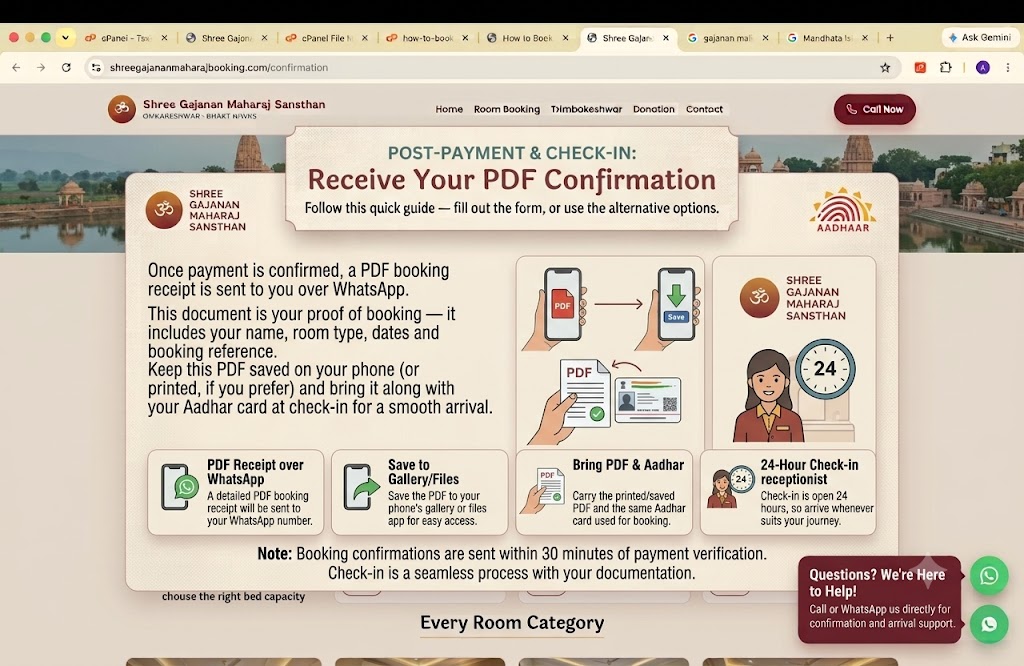
Receive Your PDF Confirmation
Once payment is confirmed, a PDF booking receipt is sent to you over WhatsApp. This document is your proof of booking — it includes your name, room type, dates and booking reference.
Keep this PDF saved on your phone (or printed, if you prefer) and bring it along with your Aadhar card at check-in for a smooth arrival.
- Save the PDF to your phone's gallery or files app
- Carry the same Aadhar card used for booking
- Check-in is open 24 hours, so arrive whenever suits your journey
Accepted Payment Methods
Our team will confirm the exact method for your specific booking, generally from the options below.
UPI
Google Pay, PhonePe, Paytm or any UPI app
Bank Transfer
NEFT / IMPS / RTGS to the Sansthan's account
Confirm by Call
Call our office directly for any other arrangement
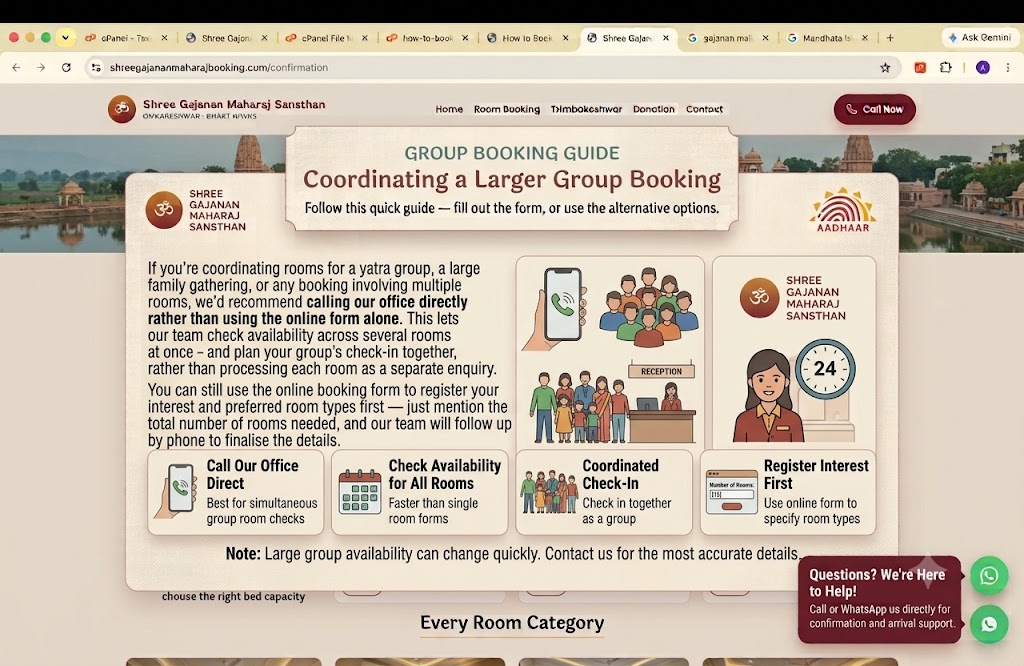
Booking for a Larger Group
If you're coordinating rooms for a yatra group, a large family gathering, or any booking involving multiple rooms, we'd recommend calling our office directly rather than using the online form alone. This lets our team check availability across several rooms at once and plan your group's check-in together, rather than processing each room as a separate enquiry.
You can still use the online booking form to register your interest and preferred room types first — just mention the total number of rooms needed, and our team will follow up by phone to finalise the details.
Booking Process FAQs
Once you send your enquiry and complete payment, confirmation along with your PDF receipt is typically sent over WhatsApp within a short time. Calling directly can speed this up further.
Please call or WhatsApp the Sansthan office to confirm accepted payment options for your specific booking before you travel, as this can depend on room availability and the season.
Share your Aadhar details directly with the Sansthan's official contact number only, for the sole purpose of booking verification, as required for every guest.
Contact the Sansthan directly by call or WhatsApp as soon as possible if you need to change your dates, and the team will advise on availability for the new dates.
Yes. For multiple rooms or a large group, it's best to call directly so the team can check availability across rooms and coordinate your group's check-in together.
Start Your Booking in Under a Minute
Choose your room and let us handle the rest — confirmation and receipt, all over WhatsApp.